
Chat Smith: AI Chatbot & Agent
Chat Smith OpCoProductivity
4.16.35K Reviews
- Version
- 8.260824.2
- Installs
- 10.00M
- Age Rating
- Everyone
Screenshots
Our Review of Chat Smith: AI Chatbot & Agent
 Analysis by Appyee
Chat Smith: AI Chatbot & Agent is best understood as a flexible AI toolbox rather than a single-purpose assistant. I like the idea of having one place to ask questions, work through a writing snag, explore a topic, or make an image, but I wouldn’t treat every answer as dependable or every advertised capability as a substitute for a dedicated app. Its appeal is convenience: one chat-based starting point for several everyday tasks.
A handy starting point for small jobs
When I’m staring at a blank page or trying to turn a vague question into something manageable, a conversational assistant can be more useful than opening a search engine and deciding which result to trust first. Chat Smith is aimed at that kind of quick back-and-forth. I can ask for a first draft, request a simpler explanation, or follow up with a constraint such as “make it shorter” or “keep the tone friendly.” That iterative approach is where an AI chat app earns its place: the first response is a starting point, not necessarily the finished work.
For example, if I need to write a polite message to reschedule an appointment, I can describe the situation and ask for a concise version that doesn’t sound stiff. I’d still check the wording before sending it, but getting past the empty text box is often the useful part. The same workflow can help sketch an outline for a presentation or turn a loose list of errands into a clearer plan. I would not rely on it to actually carry out bookings or reminders without checking what the app can do in the moment; asking an AI about a task and completing that task are not the same thing.
Where its range helps—and where to slow down
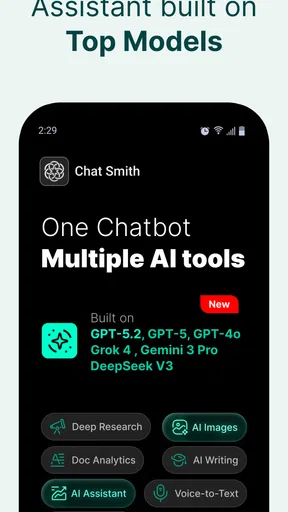
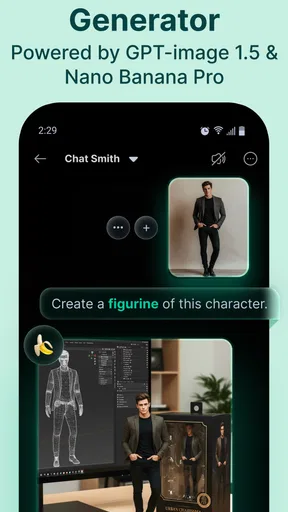
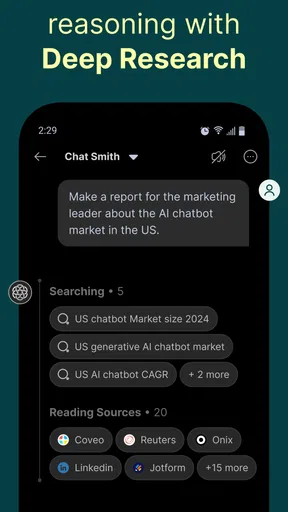
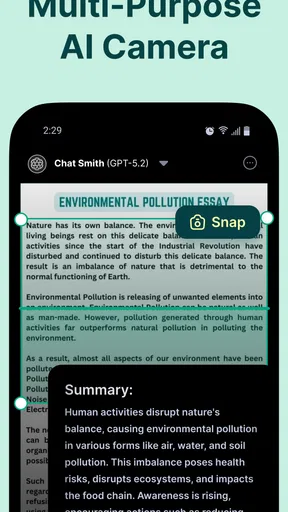
The app is presented as covering several different kinds of AI help, including research, math, writing, and image creation. That breadth is convenient when I want to move from one kind of question to another without changing tools. I might begin by asking for a plain-language explanation of a subject, then request a short set of discussion points, and finally ask for a visual idea to go with them. Keeping those steps in one conversation can make the process feel less fragmented.
The trade-off is that breadth doesn’t guarantee depth or accuracy in every area. For research, I’d use the output to identify angles and questions to investigate, then verify important claims with trustworthy sources. For calculations, I’d check the method and result independently when an error would matter. For writing, I’d treat polished phrasing as a draft that still needs my facts and voice. These habits are not a knock on this particular app so much as sensible boundaries for any general-purpose AI assistant.
A practical tip is to give the app the context that changes the answer: who the message is for, what you have already tried, the desired length, and what must not be included. Then ask for a revision rather than restarting from scratch. That often produces a more useful result than a broad prompt, and it gives you a chance to spot unsupported details before they become part of your final work.
Who is likely to get the most from it
I’d recommend trying Chat Smith if you regularly need quick drafts, explanations, idea prompts, or help breaking a task into smaller steps. It may suit students who want another way to practise explaining a topic, busy people composing routine messages, and curious users who like experimenting with AI tools. The key is to use it as a helper that speeds up the first pass, not as an authority that removes the need to think.
It is less compelling if you already have a preferred assistant that handles your everyday workflow well, or if you mainly need one specialist tool with predictable, verifiable results. Someone doing serious research may be better served by a source-focused research workflow; someone who needs precise calculations should use a trusted calculator or specialist software as the final check. And if you want an assistant to take consequential actions on your behalf, confirm exactly what it can do before planning around that expectation.
For a realistic everyday use, imagine planning a low-key weekend gathering. I could ask for a few theme ideas, request a simple checklist, and get help wording an invitation. I’d make the final choices myself, confirm practical details elsewhere, and avoid sharing private information that isn’t needed for the task. That’s a sensible division of labour: let the app help with language and brainstorming while I stay responsible for decisions and facts.
A Friendly Companion in Your Pocket
Right off the bat, the first thing you’ll notice about Chat Smith: AI Chatbot & Agent is how easy it is to use. The interface is super intuitive, making it a breeze to navigate. Whether you’re tech-savvy or just getting your feet wet with AI, this app welcomes you with open arms. The design is clean and simple, which means no distractions while you’re getting things done or just having a chat.
Smart Conversations
Now, let’s talk about what really matters: the conversations. The AI behind Chat Smith is pretty impressive. It’s like chatting with a really smart friend who somehow knows everything. Need to set a reminder? Done. Want to know the weather? Easy peasy. It’s quick to respond, and the conversational tone makes it feel less like a robot and more like a buddy.
The app supports a variety of topics, from current events to trivia questions. It’s also pretty decent at making recommendations. I asked it for a good pizza place nearby, and it didn’t disappoint! It’s like having a chat with a well-informed local who’s got all the insider tips.
Customizable Experience
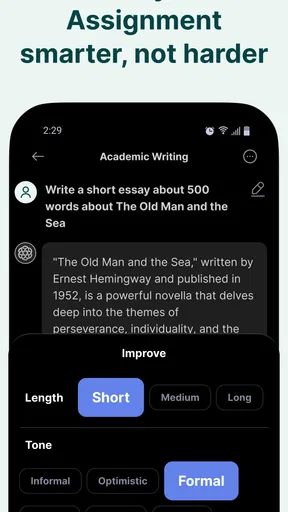
One of the things I found super cool is the level of customization you can do. You can tweak the settings to make the app suit your personal style. Whether you want a more formal chat style or something more laid back, you’ve got options. It’s nice to see an app that lets you have a say in how it works for you.
In practice, I find that a useful way to think about tone controls is to set expectations in the request itself as well as in any available settings. If I’m drafting a note to a colleague, I’ll ask for direct and courteous language; if I’m brainstorming, I’ll invite a more playful approach. The request-specific instruction keeps the result tied to the task, while a general preference can make casual chats feel more natural. Either way, I read the output before using it, because a tone that sounds right can still include a wrong assumption.
Privacy and Security
Okay, let’s get real for a second. We all know how important privacy is these days, especially with apps that handle personal data. Chat Smith seems to take this seriously. They’ve got privacy settings you can adjust, and they’re pretty transparent about how they handle your info. It’s reassuring to know they’ve got your back.
My own rule with any AI chat service is to keep prompts focused and leave out details that do not help answer the question. I can ask for a tactful response to a workplace disagreement without naming the people involved or pasting a private exchange in full. That keeps the task useful while limiting what I choose to share. If an answer depends on sensitive records, I would rather consult an appropriate secure service than put those details into a general chat.
Fun Features and Extras
Chat Smith doesn’t stop at being just a chatbot. It’s packed with extra features that add a bit of fun to the mix. It can tell jokes, play games, and even help with your daily tasks. I spent way too much time playing quizzes, but hey, it’s addictive! These little extras make it more than just a tool; it’s a bit of entertainment too.
There’s also a feature where it can act as your personal agent. Need to book a flight or find a hotel? Just ask. It’s like having a pocket-sized travel agent ready to do the heavy lifting for you.
I’d approach agent-style requests as a way to get ideas and organize the next steps, not as proof that a real-world task has been completed. For a trip, I can ask for a packing checklist or help comparing the factors I care about, then verify schedules, availability, and booking terms directly with the relevant service. This distinction matters because a confident conversational reply can make a suggestion sound like an action. I check the result and complete any important transaction myself.
Compatibility and Accessibility
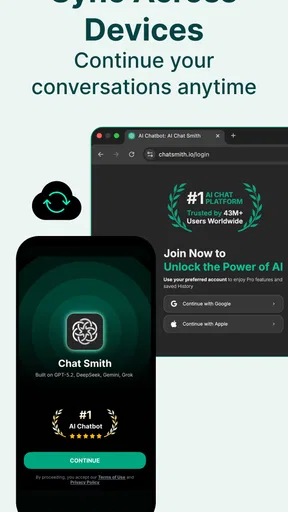
The app is available on both Android and iOS, which is perfect if you’re like me and switch between devices. It syncs seamlessly, so your conversations and settings follow you wherever you go. Plus, it’s got a lightweight footprint, meaning it doesn’t hog your phone’s resources – a big plus for those of us who are always running out of storage!
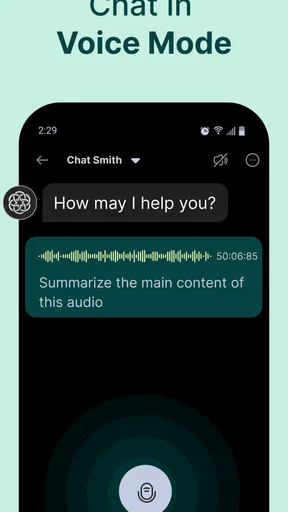
In terms of accessibility, the app does a solid job. It supports voice commands, making it easy to use if you’re on the go or just don’t feel like typing. It’s these little touches that make a big difference in the overall experience.
Voice input is most helpful for rough ideas, quick questions, or outlining something while my hands are occupied; it is less reliable for names, addresses, and exact figures unless I review the transcription carefully. When precision matters, typing the prompt gives me more control over what the assistant is being asked. I also find it useful to keep a request short at first, then add one clarification at a time, which makes it easier to tell whether a change improved the answer.
Compared with using a search engine, a chat assistant is better at reshaping an answer around follow-up questions, but it is not as transparent about where every claim comes from. Compared with a dedicated writing or image tool, an all-purpose app can be more convenient for switching tasks, while a specialist may offer a more focused workflow. I’d choose based on the job: Chat Smith for quick exploration and drafting, a search or specialist tool when evidence, precision, or a particular production workflow is central.
Cost, access, and expectations
Chat Smith is a free productivity app from Smart Widget Labs Co Ltd, with optional in-app purchases ranging from $3.99 to $59.99 per item. I’d start with the free access and test the tasks I actually expect to use, rather than paying because a feature sounds impressive in the abstract. Before making a purchase, I’d check what the specific offer unlocks and whether it fits my routine; occasional brainstorming may not justify an upgrade, while frequent use could make extra access more worthwhile. Its 4.2 average from around 532,000 ratings and more than 10 million installs suggest broad interest, but those figures cannot tell me whether its answers suit my needs.
The app is rated for Everyone, and its current version is 8.260209.1; it runs on Android 5.0 and later. It was released on December 21, 2022. Those details make it straightforward to judge basic compatibility, though I’d still check the app store on my own device for the version currently offered before installing.
Final Thoughts
So, what’s the verdict? Chat Smith: AI Chatbot & Agent is a fantastic app if you’re looking for a smart, reliable chatbot that can keep up with your daily demands. Whether you’re using it for productivity, entertainment, or just to have someone to chat with, it’s got you covered. The blend of functionality and personalization makes it a standout choice in the sea of AI apps out there.
If you’re curious to try it out, you can grab it from the app store and see for yourself. I’d say it’s definitely worth a look, especially if you’re into tech that makes life a little easier. Happy chatting!
My recommendation is a little more specific: give it a try if you want an approachable place to draft, brainstorm, ask follow-up questions, and experiment with different kinds of AI assistance. Keep a separate source or specialist tool in your process for facts and decisions where accuracy has real consequences, and treat suggested actions as suggestions until you verify them. If you prefer a tool with a narrow, dependable job—or simply do not enjoy checking AI-generated work—this may not become part of your routine. For everyone else, it can be a convenient companion, as long as I stay the editor and decision-maker.
Verdict
Strengths of Chat Smith: AI Chatbot & Agent
- User-friendly interface for easy navigation.
- Quick and accurate responses from the AI.
- Customizable settings to tailor interactions.
- Seamless integration with other apps.
- Supports multiple languages for global use.
Limitations of Chat Smith: AI Chatbot & Agent
- Requires internet connection to function.
- Limited free usage before subscription needed.
- Occasional delays during peak hours.
- May not handle complex queries well.
- Privacy concerns with data handling.
Similar Picks in This Category
View All
Google Calendar
Google LLC4.6

Google Drive
Google LLC4.3

Google Assistant
Google LLC3.9

Microsoft OneDrive
Microsoft Corporation4.6

Samsung Calendar
Samsung Electronics Co., Ltd.4.1

Microsoft OneNote: Save Notes
Microsoft Corporation4.6
Frequently Asked Questions
What is Chat Smith: AI Chatbot & Agent?
Chat Smith: AI Chatbot & Agent is an advanced AI-driven application designed to assist users in various tasks through intelligent conversations. It can help with scheduling, providing information, and even offering entertainment. Its AI capabilities allow it to understand and respond to user queries effectively, making it a versatile digital assistant.
How does Chat Smith ensure user privacy and data security?
Chat Smith prioritizes user privacy by implementing robust data encryption and security protocols. User interactions are stored securely, and the app adheres to strict privacy policies, ensuring that personal information is not shared with third parties without consent. Regular updates enhance security measures to protect user data further.
Is Chat Smith available for both Android and iOS devices?
Yes, Chat Smith is available for download on both Android and iOS platforms. Users can find the app in the Google Play Store and the Apple App Store. The app is optimized to provide a seamless experience across different devices, ensuring accessibility and functionality for all users.
Does Chat Smith support multiple languages?
Chat Smith is designed to support multiple languages, making it accessible to a global audience. The app includes language settings that users can customize according to their preferences. This feature ensures that non-English speakers can also enjoy the full range of the app's capabilities.
What features distinguish Chat Smith from other AI chatbots?
Chat Smith stands out with its advanced natural language processing capabilities, which allow for more intuitive and human-like interactions. It also offers integration with other apps and smart devices, providing a comprehensive digital assistant experience. Its user-friendly interface and customizable settings further enhance its appeal.
